The Developer–SEO Gap Nobody Talks About
Most developers learn SEO the same way — a cursory read of Google's documentation, a Lighthouse audit that hits green, and the assumption that the job is done. Then the site launches, three months pass, and organic traffic is zero. The startup's marketing team blames the content. The developers say the site is fast. Everyone is slightly right and completely missing the problem.
Technical SEO is not about title tags and meta descriptions. That's the part content teams handle. Technical SEO is about whether Google can find your pages, understand them, and trust them enough to rank them. And it's the part that requires a developer to get right — which means it's also the part that most developers treat as someone else's problem until it becomes an expensive one.
This guide is written for developers building or auditing web products — not for marketers managing SEO tools. We're going to talk about rendering pipelines, HTTP headers, DOM structure, and server configuration. The goal is rankings, but the path runs through engineering.
We've built production web platforms for government institutions, sports federations, medical organisations and enterprises. Every project gets an SEO audit before launch. These are the issues we find most consistently — and fix most often.
The SPA Visibility Problem: Your Beautiful App Is a Black Box to Google
Single-page applications built in React, Vue or Angular are the default choice for most modern web projects. They produce fast, interactive experiences. They are also, by default, almost completely invisible to search engines — and this is the single most common and most damaging technical SEO mistake we encounter.
Why SPAs fail at crawling
Googlebot crawls by fetching a URL and reading the HTML response. A typical React SPA returns this as its entire HTML body:
<!DOCTYPE html>
<html>
  <head>
    <title>My App</title>
  </head>
  <body>
    <div id="root"></div>
    <script src="/static/js/main.chunk.js"></script>
  </body>
</html>
There is no content. No headings. No text. No links for Googlebot to follow. The entire page content is injected by JavaScript after the browser executes it — and while Google does execute JavaScript, it does so with a significant delay and with inconsistent reliability for dynamic routing, lazy-loaded content, and client-side rendered routes.
Google has stated that JavaScript rendering runs in a "second wave" of indexing that can take days to weeks after the initial crawl. In competitive niches, this delay alone costs you rankings. For complex SPAs with deep navigation trees, many routes never get properly indexed at all.
The fix: server-side rendering or static generation
The solution is not to abandon React or Vue. It's to ensure that every page Google might want to index returns meaningful HTML in the initial server response — before any JavaScript executes.
For most startup marketing sites and content-heavy pages, static generation (Next.js getStaticProps, or Nuxt's generate mode) is the right answer — zero server overhead, perfect Lighthouse scores, and every page pre-rendered as real HTML. For dynamic content that changes frequently, SSR with caching is correct. The important thing is that the HTML Googlebot receives contains your actual content, not an empty <div id="root">.
Core Web Vitals in 2026: What's Changed and What Still Matters
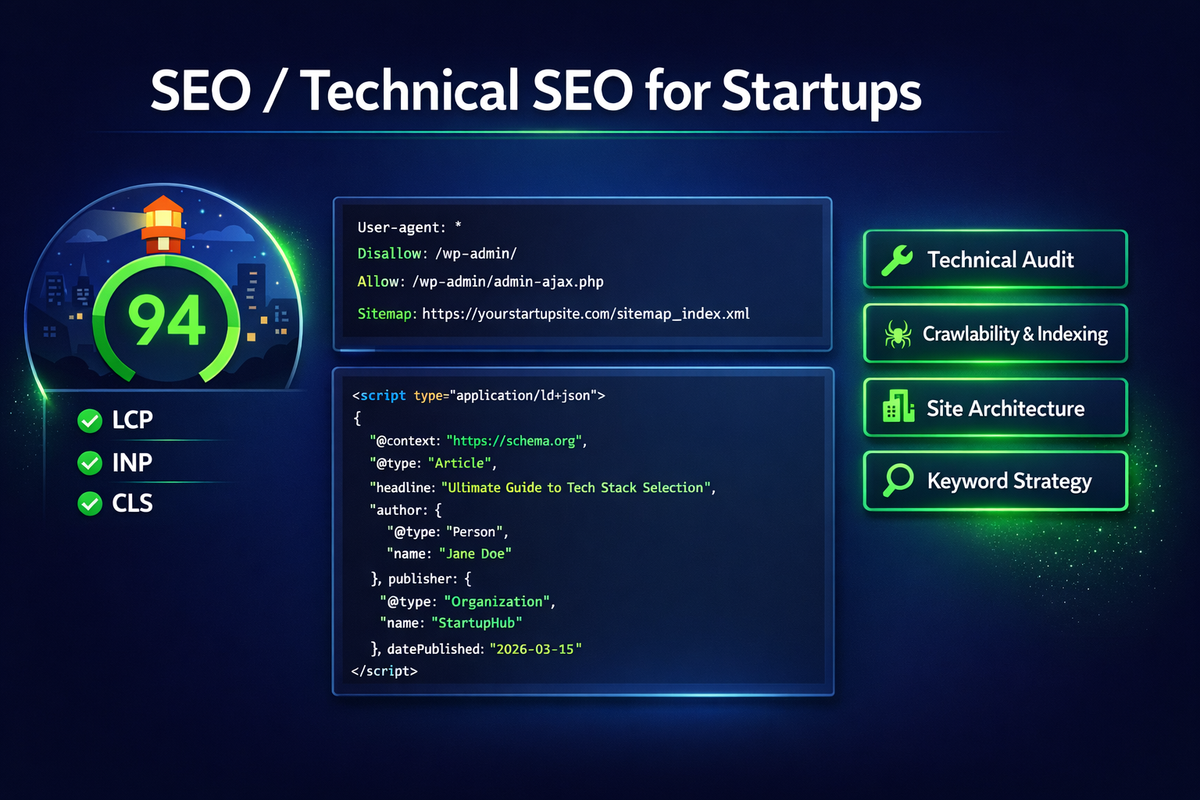
Google's Core Web Vitals have been a confirmed ranking signal since 2021. In 2024, Google replaced First Input Delay (FID) with Interaction to Next Paint (INP). In 2026, these three metrics are what Google uses to assess page experience for ranking purposes:
Largest Contentful Paint (LCP) — target: under 2.5s
LCP measures when the largest visible content element (typically a hero image or above-the-fold heading) finishes rendering. The most common cause of poor LCP is not JavaScript — it's unoptimised images. A 400KB WebP hero image loads faster than a 1.2MB JPEG, with identical visual quality. After image optimisation, the next biggest LCP killer is render-blocking CSS and fonts loaded synchronously in the <head>.
/* Bad: blocks rendering until font downloads */
<link href="fonts.googleapis.com/css2?family=Inter" rel="stylesheet">

/* Good: preconnect + display=swap */
<link rel="preconnect" href="https://fonts.googleapis.com">
<link href="fonts.googleapis.com/...&display=swap" rel="stylesheet">

/* Better: self-host critical fonts, preload them */
<link rel="preload" as="font" href="/fonts/inter.woff2"
      type="font/woff2" crossorigin>
Interaction to Next Paint (INP) — target: under 200ms
INP replaced FID in March 2024 and is the most developer-relevant Core Web Vital. It measures the latency of every user interaction throughout the page's lifetime — clicks, taps, keyboard input — and reports the worst-case interaction. The primary causes of poor INP are long JavaScript tasks blocking the main thread, unoptimised event handlers, and third-party scripts running heavy work on interaction.
The fix is almost always some combination of: breaking long tasks with scheduler.yield() or setTimeout(0), deferring non-critical third-party scripts, and ensuring event handlers don't trigger expensive synchronous DOM operations.
Cumulative Layout Shift (CLS) — target: under 0.1
CLS is the easiest to fix and the most commonly ignored. It measures how much page content shifts unexpectedly during load. The two most common causes: images without explicit width and height attributes, and dynamically injected content (ads, cookie banners, lazy-loaded components) that pushes existing content down.
/* Every img tag needs explicit dimensions */
<img src="hero.jpg" alt="Hero" width="1200" height="600" />

/* Reserve space for dynamic content with aspect-ratio */
.ad-slot {
  aspect-ratio: 16 / 9;
  min-height: 90px; /* banner minimum */
}Lighthouse runs in a controlled lab environment. Real users have slower devices, slower networks, and browser extensions. Use Google Search Console's Core Web Vitals report (field data from Chrome UX Report) as the authoritative source. A perfect Lighthouse score with poor CrUX data means your optimisations aren't reaching real users.
Crawl Budget: The SEO Concept That Only Developers Can Fix
Crawl budget is the number of URLs Googlebot will crawl on your site within a given timeframe. For small sites under a few hundred pages, it's not a concern. For e-commerce platforms, content sites with thousands of URLs, or applications that generate large numbers of parameterised URLs, crawl budget is the difference between your content being indexed and being completely ignored.
URLs that waste crawl budget
Googlebot will crawl every URL it can find, including ones you don't want indexed. The most common budget-wasting URL patterns we find in audits:
- Faceted navigation without canonicalisation — filter and sort parameters creating thousands of near-duplicate URLs (
/products?color=red&size=M&sort=price) - Session IDs in URLs —
/page?sessionid=abc123creates a unique URL for every user session - Infinite scroll or pagination without proper handling — paginated content that generates URLs without corresponding value for crawlers
- Dev/staging URLs accidentally accessible to crawlers — no
X-Robots-Tag: noindexheader on non-production environments - Duplicate content via HTTP/HTTPS or www/non-www — without a redirect, both versions get crawled and split your crawl budget and link equity
The robots.txt and meta robots hierarchy
Understanding the crawling and indexing pipeline matters for getting this right. robots.txt controls crawling — Googlebot won't request disallowed URLs at all. meta name="robots" content="noindex" and the X-Robots-Tag HTTP header control indexing — the URL gets crawled, but the response tells Google not to include it in search results. These are different things and both are necessary.
# robots.txt — block crawling of admin and API routes
User-agent: Googlebot
Disallow: /admin/
Disallow: /api/
Disallow: /*?sessionid=
Allow: /

Sitemap: https://yoursite.com/sitemap.xml
/* Next.js — set noindex via headers for dynamic routes */
export async function generateMetadata({ params }) {
return {
robots: {
index: isPublicPage(params.slug),
follow: true,
}
}
}Structured Data: The Free Rich Results Most Sites Leave on the Table
Structured data is Schema.org markup that tells Google exactly what your content is — an article, a product, an organisation, a FAQ, a review. When implemented correctly, it enables rich results in search — star ratings, FAQ dropdowns, article thumbnails, breadcrumbs — which increase click-through rates by 20–30% without changing your ranking position.
Most startups either don't implement it at all, or implement it incorrectly in ways that produce Google Search Console warnings (we covered how to fix those in a recent case study). The most commonly missed types for startup web products:
Organization (homepage)
The Organization schema on your homepage establishes your brand identity in Google's Knowledge Graph. It needs to be a complete ImageObject for the logo — not a plain URL string — and should include foundingDate, description, and a valid contactPoint.
Article (blog posts)
Every blog post needs a complete Article schema with headline, datePublished, dateModified, author, publisher (including logo as ImageObject), image, and mainEntityOfPage. Missing any required field produces a validation error in Google's Rich Results Test and disqualifies the page from rich results.
FAQPage (support and documentation pages)
FAQ structured data produces the accordion dropdown directly in search results — one of the highest click-through rich result formats available. If you have any page with question-and-answer content, adding FAQPage schema is a 30-minute implementation with material impact on search visibility.
<script type="application/ld+json">
{
  "@context": "https://schema.org",
  "@type": "FAQPage",
  "mainEntity": [
    {
      "@type": "Question",
      "name": "How long does a typical web project take?",
      "acceptedAnswer": {
        "@type": "Answer",
        "text": "A standard web application takes 8–16 weeks from
                 brief to launch, depending on complexity and scope."
      }
    }
  ]
}
</script>
8 Technical SEO Mistakes We Fix Most Often
These are in rough order of impact — the issues that, when fixed, produce the most measurable improvement in crawl coverage and ranking.
1. No sitemap, or a sitemap that includes noindex URLs
Your XML sitemap should contain every URL you want Google to index — and only those URLs. Including pages with noindex tags in your sitemap creates a contradiction that confuses crawlers and wastes crawl budget. Sitemaps should be dynamically generated and submitted to Google Search Console. For Next.js projects, the next-sitemap package handles this correctly with minimal configuration.
2. Missing or wrong canonical tags
Every indexable page should have a self-referencing <link rel="canonical"> tag. For paginated content, the canonical should point to the first page. For filtered/parameterised URLs that are near-duplicates of canonical pages, the canonical should point to the base URL. Incorrect canonicals are the primary cause of "indexed, not submitted in sitemap" in Search Console.
3. Images without alt text and proper dimensions
Alt text serves two purposes: accessibility (screen readers) and SEO (Google Images indexing, context signals for the surrounding content). Decorative images should have alt="" — not missing alt attributes. Content images need descriptive alt text. All images need explicit width and height to prevent CLS. Use loading="lazy" on below-the-fold images and fetchpriority="high" on the LCP element.
4. Heading hierarchy violations
Every page should have exactly one <h1> that contains the primary keyword. Subheadings should use <h2> through <h4> in logical order. Using heading tags for visual styling (<h3> because you want a certain font size) destroys the semantic structure that Google uses to understand page content. This is extremely common in component-based frameworks where heading levels are chosen for visual reasons.
5. No HTTPS redirect, or mixed content warnings
Every HTTP request should redirect to HTTPS with a 301 permanent redirect. Mixed content (an HTTPS page loading HTTP resources) generates browser warnings and signals to Google that the site's security posture is inconsistent. Check your .htaccess or Nginx config, and run a mixed content scanner on every page before launch.
6. Third-party scripts loaded synchronously in <head>
Google Analytics, Meta Pixel, Hotjar, Intercom — every third-party script loaded in <head> without async or defer blocks HTML parsing. A 200ms round-trip to a third-party CDN before your page content starts rendering is a significant LCP penalty. Load third-party scripts with async or defer them entirely until after user interaction for non-critical tools.
7. Internal links using JavaScript onclick instead of anchor tags
Googlebot follows <a href="..."> links to discover new pages. Navigation built with onClick={() => router.push('/page')} or window.location may not be followed. This is particularly common in React SPAs. Every navigable URL in your application needs a proper anchor tag with an href attribute, even in client-side routing contexts. Next.js's <Link> component renders proper <a> tags by default; custom navigation components often don't.
8. Ignoring Search Console errors until there are too many to fix
Google Search Console is the ground truth for how Google sees your site. Coverage errors, structured data validation failures, Core Web Vitals issues flagged with field data, manual actions — all of these appear in Search Console before they significantly impact rankings. Build a workflow to review it weekly. The issues are much easier to fix when there are five than when there are five hundred.
Google's Helpful Content system has become significantly better at identifying content generated at scale without real expertise or original insight. Quantity of content is not a ranking strategy. A site with 20 genuinely useful, technically accurate, experience-backed articles will outrank a site with 2,000 AI-generated summaries of publicly available information. Write from experience, or don't write at all.
Technical SEO Pre-Launch Checklist
Before any new project goes live, our team runs through this list. It takes about two hours for a standard web application and prevents the most common launch-day SEO mistakes.
- ✅ Every page returns meaningful HTML in the initial server response (no client-only rendering for SEO-critical pages)
- ✅ All images have explicit
width,height, and descriptivealtattributes - ✅ LCP element identified per page and loaded with
fetchpriority="high" - ✅ Fonts preloaded with
display=swap, no render-blocking font imports - ✅ Third-party scripts loaded
asyncor deferred after interaction - ✅ XML sitemap generated, includes only indexable URLs, submitted to Search Console
- ✅
robots.txtcorrectly configured — admin, API and staging paths disallowed - ✅ Self-referencing canonical tags on every page
- ✅ HTTP → HTTPS 301 redirects configured; no mixed content warnings
- ✅ www and non-www resolve to a single canonical version
- ✅ Heading hierarchy: exactly one
<h1>per page, logical subheading order - ✅ All navigation links use
<a href>— not JavaScript-only click handlers - ✅ Organization schema on homepage; Article schema on all blog posts
- ✅ Structured data validated with Google's Rich Results Test — zero critical errors
- ✅ Google Search Console property verified and sitemap submitted
- ✅ Core Web Vitals baseline measured with PageSpeed Insights before launch
Conclusion
Technical SEO is not glamorous work. It doesn't have the visible payoff of a brand campaign or the quantifiable immediacy of paid search. But it's the foundation everything else sits on — and when it's wrong, no amount of content, links or ad spend can fully compensate.
The issues in this article are not exotic edge cases. They are the things we fix on most sites we audit: SPAs that Google can't read, images without dimensions causing layout shift, structured data with missing required fields, and crawl budgets wasted on parameterised URLs nobody should be indexing.
Fix the foundation first. Content and links build on top of a technically sound site. Without the foundation, they build on sand.
If you're launching a new product or auditing an existing site, reach out. We run technical SEO audits as part of every project kickoff — and we're happy to review yours.